Why a walkthrough, not a deck
Estate South is a real, in-production platform for a real client. That makes it hard to show anyone outside that engagement what the product actually does — the data is private, and it should stay that way.
This case study solves that with a fictional property instead of a redesigned demo. The Whitmore Residence is a synthetic ~6,500-square-foot estate with its own homeowners, its own property hierarchy, and its own baseline audit — built specifically to exercise the real application end to end. Nothing here is a simplified stand-in; it is the actual Estate South product, pointed at data that was never real to begin with.
The journey, start to finish
The walkthrough follows the same path a real homeowner takes:
- Assessment report. Opens on an executive summary — overall condition, priority findings, near-term maintenance, and a budget summary — with representative areas already expanded and photographed, not a wall of collapsed accordions.
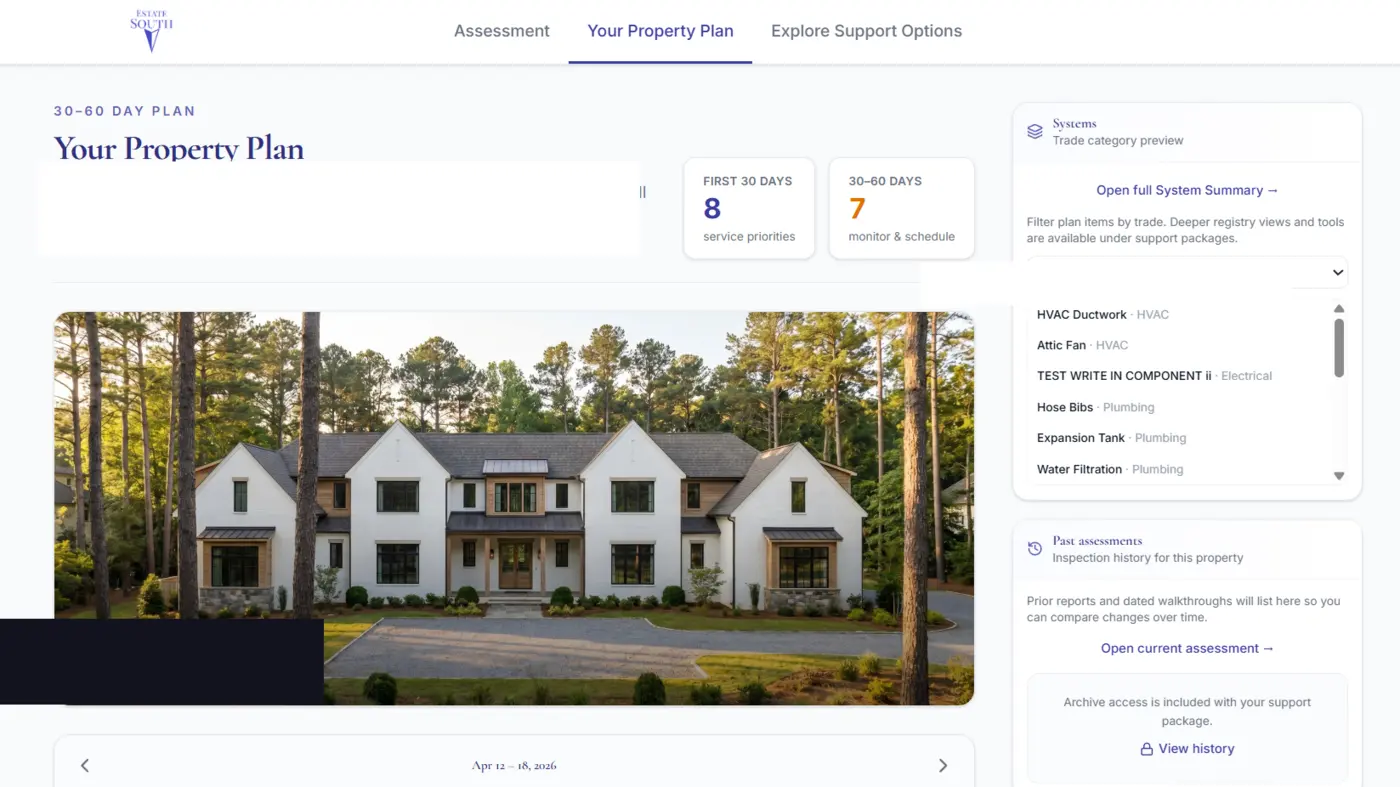
- Property plan. The full structure → area → component hierarchy behind the report, the same inventory model used on every real Estate South property.
- Support & pricing. A scope-sizing flow into a support package, with add-ons and pricing updating live as the homeowner adjusts scope.
- Agreement. A full multi-section services agreement, reviewed and accepted in-browser with a simulated signature — clearly labeled as a demonstration, never a real signed contract.
- Homeowner portal. Once accepted, the portal activates with a maintenance calendar (inspections, recurring service, vendor visits) and a project timeline for larger repairs — both generated from the property's own audit findings, tied back to the specific structure, area, and component each item belongs to.
Guided or hands-on
A walkthrough controller narrates the journey automatically — current step, who's acting (homeowner, field staff, office staff, or system), and what's about to happen — or it can be paused for manual exploration of any screen. Reset always returns to a clean, unsigned starting state; nothing typed or clicked during a session persists past a refresh.
Built for isolation, not just privacy theater
The synthetic property lives in its own namespaced snapshot of the application code, decoupled from the live product's client-specific components, routes, and data. It cannot read, write, or display anything from a real Estate South account. That isolation is architectural, not a filter on top of production data.
What this previews: an owner-side release
Estate South today is the internal staff platform and the client portal that carries a homeowner from first assessment to signed engagement. The next phase of the product turns that same property intelligence outward: an owner-side estate and facilities management app, where a homeowner manages their own property — structures, systems, maintenance, vendors, documents — directly, with the staff platform as the backing system of record rather than the only way in. This walkthrough is the closest public preview of what that experience looks like today.
What's next: MCP and agentic operations
Both Estate South and the ASO Work App are being built out with Model Context Protocol (MCP) integrations — a narrow, defined set of tools an agent can reach for, not open access to the database. Once wired up, agents will continually push forward the operational work that currently waits on a person to remember it: maintenance scheduling, record keeping, vendor sourcing, coordination, and scope distribution across a team or a property. Anything consequential — a scheduled visit, a vendor commitment, a scope change — still passes through a human approval gate before it happens. The agent proposes; a person decides.
Demonstration boundaries
Every homeowner, address, photo, finding, and dollar figure in this walkthrough is synthetic. No real Estate South client, property, or account is displayed, and no action taken here — including the simulated signature — creates, sends, or files anything real.